Stable Diffusion prompt generators
Table of Contents
Stable Diffusion generates images based on prompts—text-based instructions. Writing a good prompt is not easy, which is why generators can help: specialized services and AI assistants. This page features free prompt generators for Stable Diffusion, guidance on writing prompts for different models, and examples of images created from generated instructions.
How to create a prompt for Stable Diffusion
There are four main ways to create a valid prompt for Stable Diffusion:
- Use a ready-made prompt (for example, from the collection of 46 best prompts)
- Write one from scratch according to the rules
- Generate one with a prompt generator or ask an AI assistant
- Look at what others use: many images on Civitai include their prompts, and the PNG Info tab in WebUI lets you read the parameters from someone else’s PNG file
Ready-made solutions are useful, but they limit your results. You can use an existing prompt as a foundation for creating your own by modifying the original instruction—for example, changing the character, time of day, and so on. Editing an existing prompt is much easier than writing one from scratch. However, it is not always possible to find a suitable description, especially when you have an unusual task. In that case, you have no choice but to write it yourself. Stable Diffusion prompt-writing rules are not complicated, but not everyone can prepare a prompt correctly on their own. This is where generators come in. Prompt generators are specialized tools that help you write a unique prompt according to all the rules, without requiring you to understand in depth what should be included in the request and how it should be structured. Generators will not do absolutely everything for you—you still need to provide some information—but they make it much easier to create a prompt for an image in the desired style than writing one manually.
How to write a prompt: the format depends on the model
The main reason for “off” results is that the prompt is written in the wrong format for the selected model. A generator that compiles a set of tags will not work equally well for every model.
| Model | How to Write the Prompt |
|---|---|
| SD 1.5 | Short comma-separated tags, weights in parentheses (word:1.2), quality tags (masterpiece, best quality). A negative prompt is important |
| SDXL and its fine-tunes (Juggernaut XL, RealVisXL) | Understands both tags and coherent phrases. Weights work, while a negative prompt is needed less often |
| SD 3.5, Flux | Ordinary English sentences, as if writing for a chatbot. Flux does not use negative prompts or weights in parentheses |
| Pony Diffusion V6 XL | Quality tags at the beginning (score_9, score_8_up, score_7_up), followed by Danbooru-style tags |
| Illustrious XL, NoobAI-XL | Danbooru-style tags: 1girl, red hair, looking at viewer; check the model page for model-specific quality tags |
That is why tag generators such as Thomas and Promptomania are better suited to SD 1.5, SDXL, and anime models, while AI assistants are more convenient for SD 3.5 and Flux.
Free Stable Diffusion prompt generators
Some generators only help by adding details to your description, while others create the entire prompt based on several keywords.
Thomas
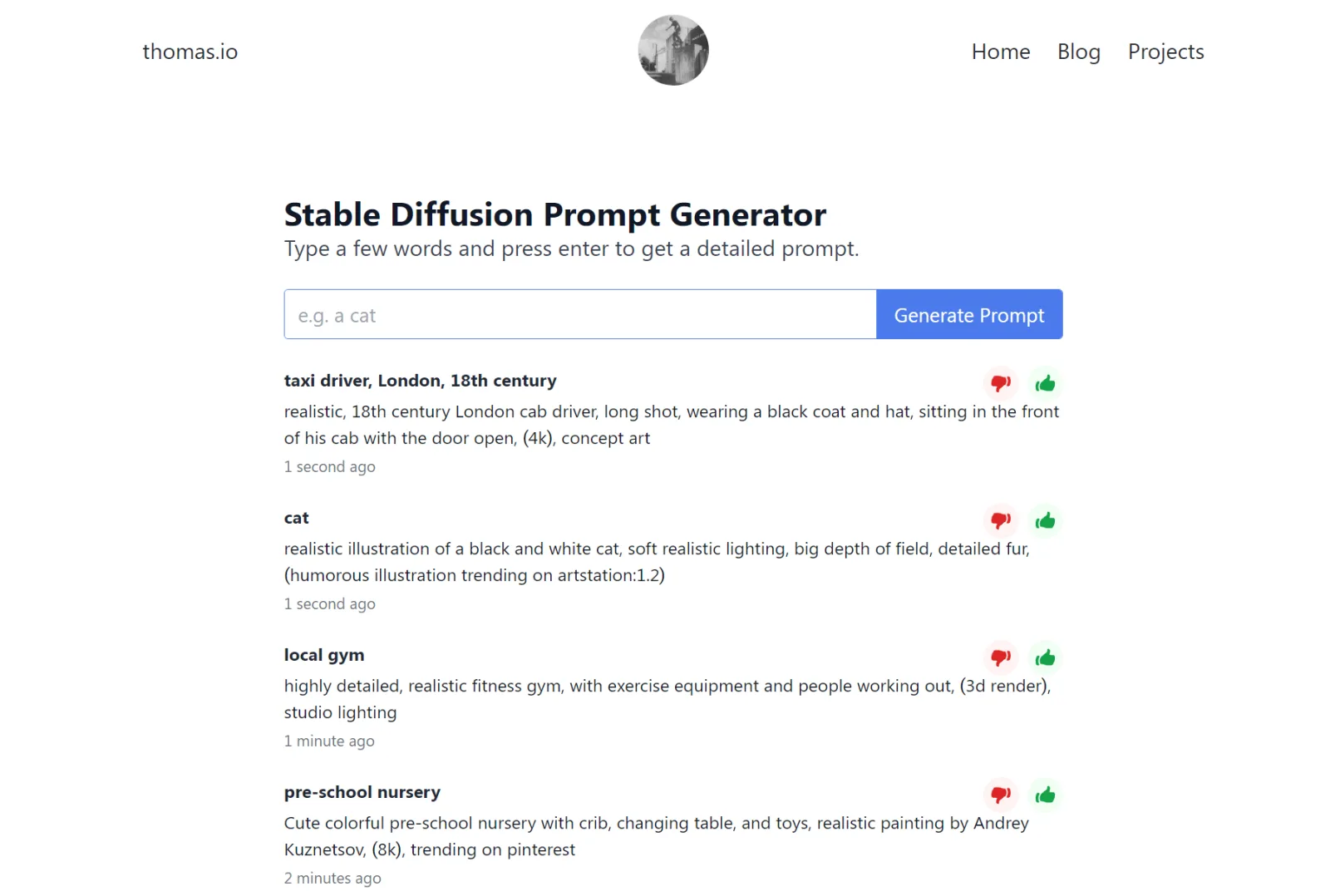 Thomas.io is a prompt generator without any advanced features, but it can provide ideas because it writes the entire prompt for you. To use it, simply enter one or more words, and the generator will add the rest. For example: Input word:
teacher
Ready-made prompt**:** Highly detailed, realistic portrait of a female teacher, drawn in pencil and ink on paper, with light and shadow effects, (8k), trending on pinterest
Images created from the prompt generated by the tool: 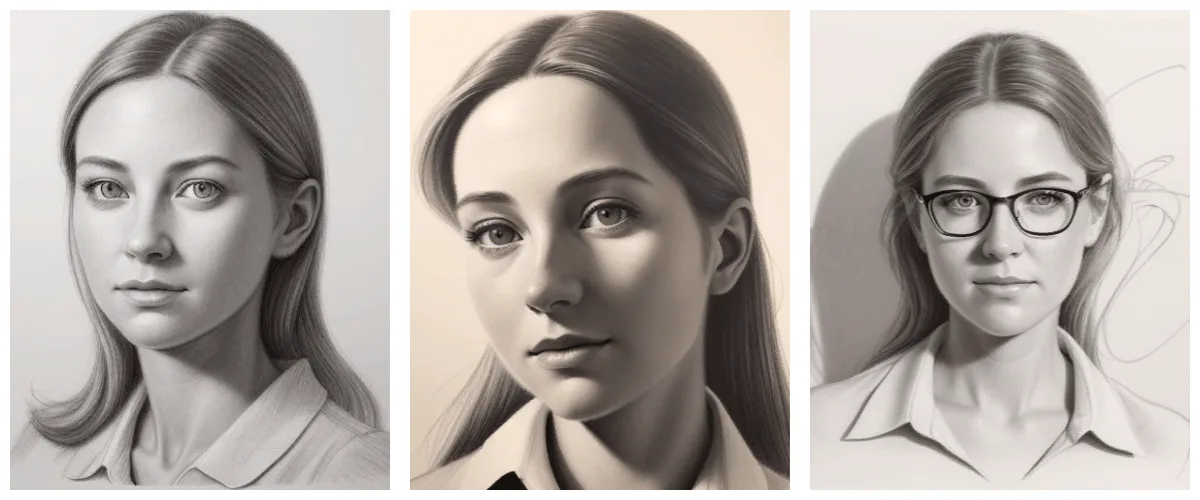
Promptomania
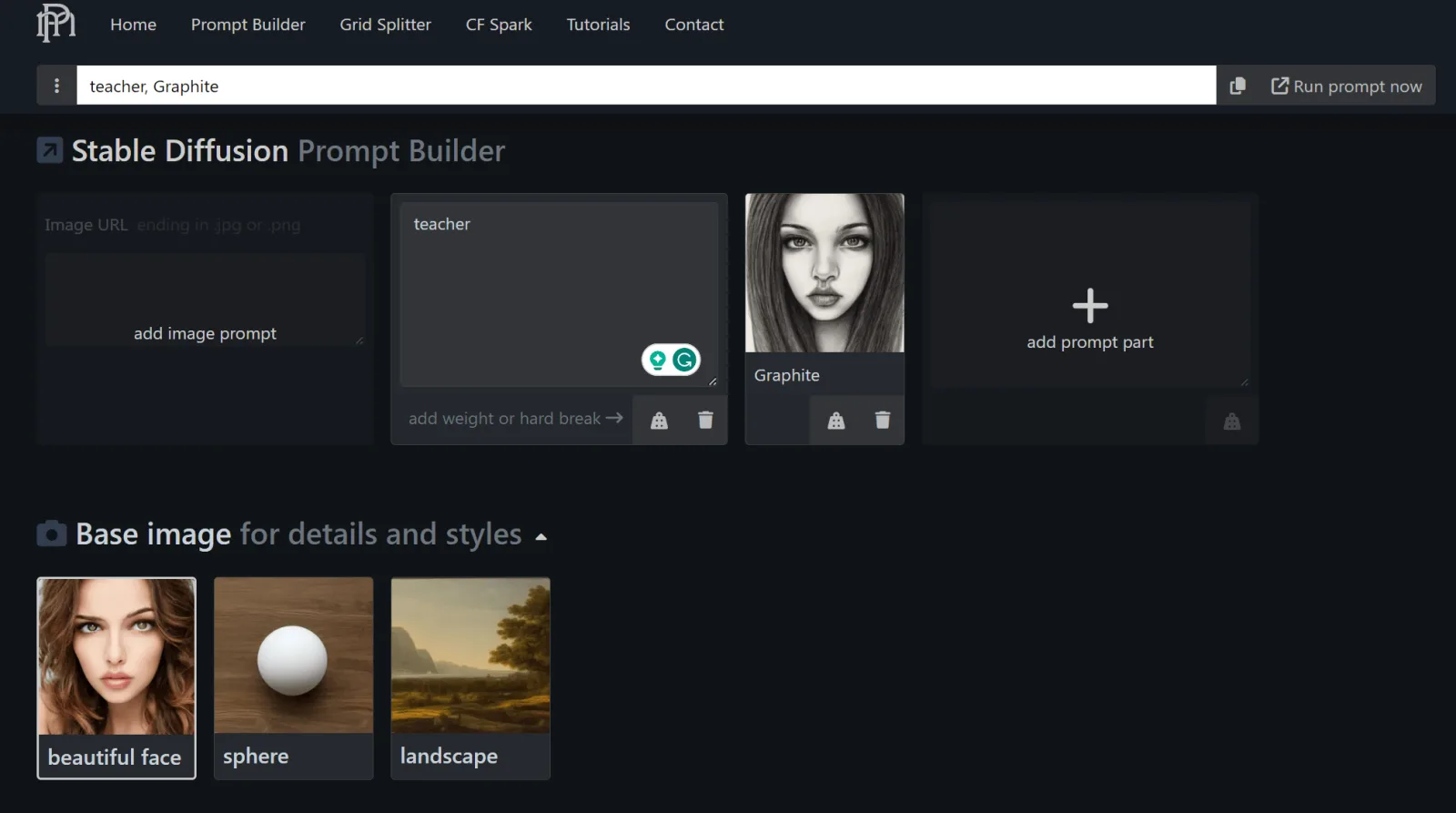 Promptomania (catalog review) is a free prompt generator for Stable Diffusion that lets you build a prompt visually. Select Stable Diffusion in the settings, describe what you want to create in text, and then choose the details of your image:
- Format: face, object, or landscape
- Style
- Other details
The advantage of this generator is that it shows examples, so you literally create a prompt in a visual format while receiving a text description as the output. For example, when selecting a pencil sketch style, you can see an approximate image for each option: 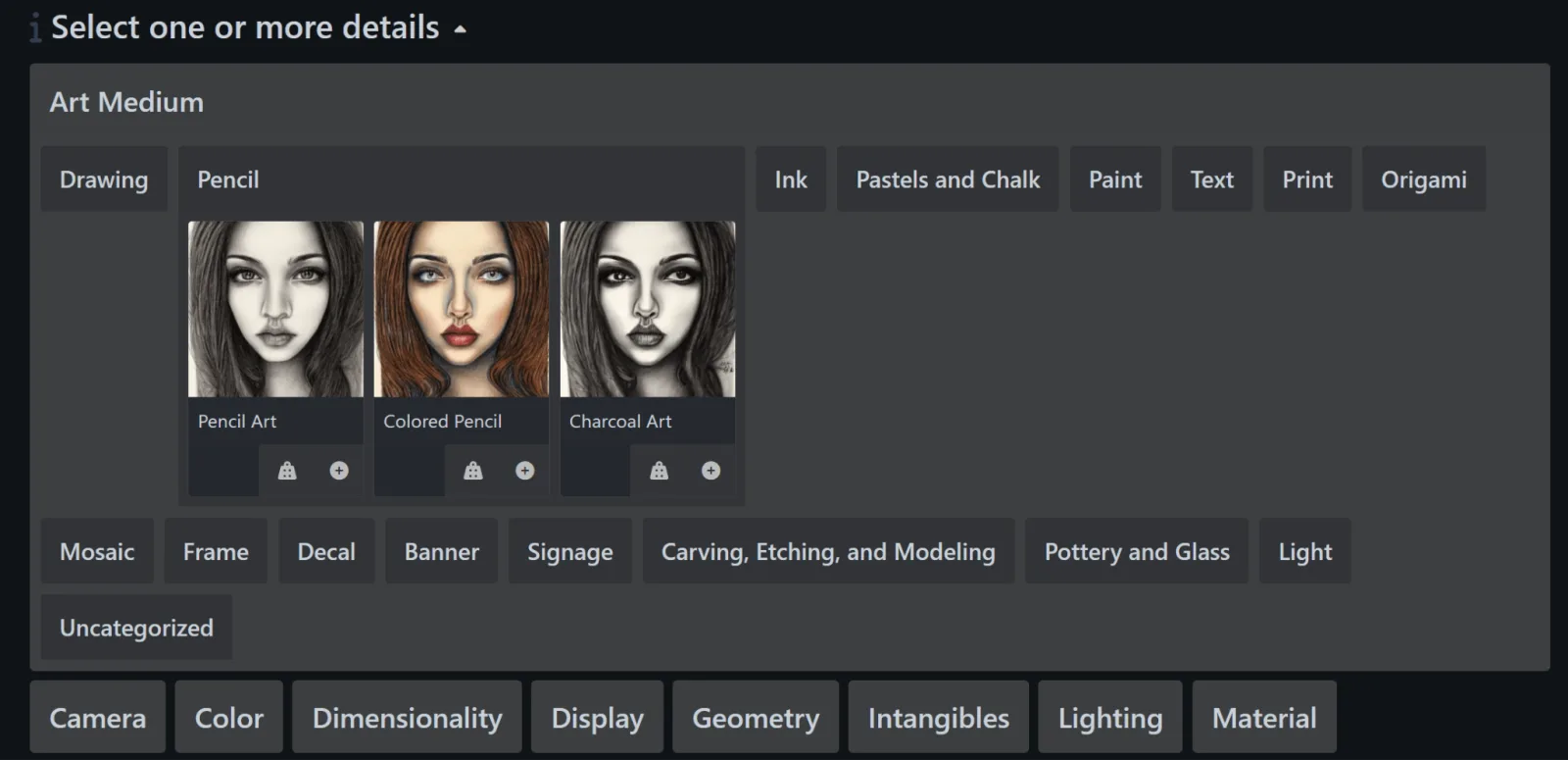 Similar visual hints are available for most parameters. After selecting everything required for your image, you will receive a text prompt. For example, for a high-resolution, short-exposure pencil sketch of a teacher:
Example prompt from the generator**:** woman teacher, glasses, face, Graphite, Short Exposure, 4k
Images created from the prompt generated by the tool: 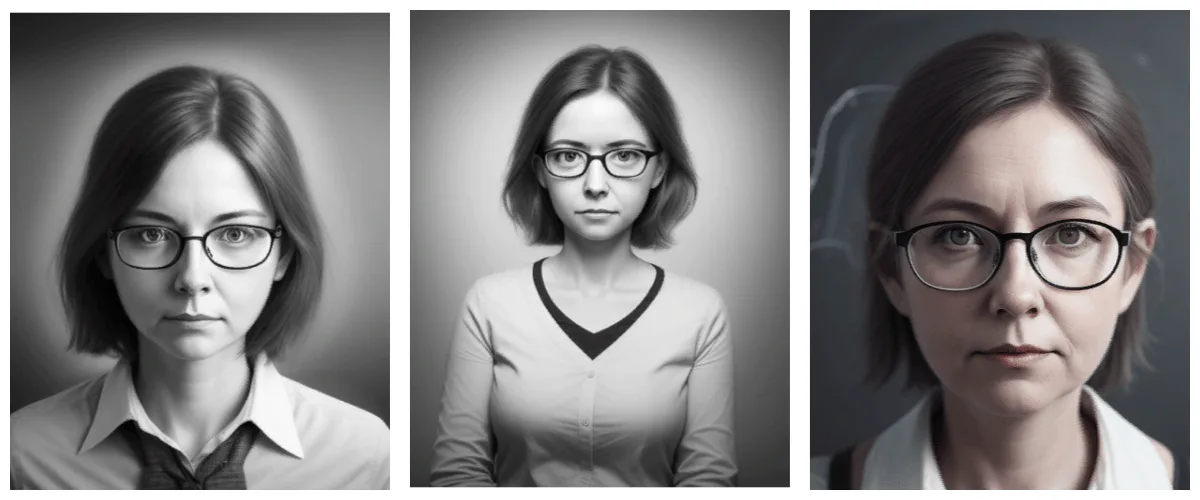
AI assistants instead of generators
Today, Stable Diffusion prompts are most often written with the help of chatbots such as ChatGPT, Claude, and others. They understand requests in Russian and can generate a prompt in the required format right away. All you need to do is specify the model and describe your idea. For example:
Request to the assistant: Create an English prompt for the Pony Diffusion V6 XL model: a red-haired female teacher wearing glasses, soft window light, classroom. Provide both a main and negative prompt, with quality tags at the beginning.
The assistant takes the model’s format into account—tags for Pony and Illustrious, and sentences for Flux and SD 3.5—while the generators above do not. It is worth reviewing the result: you can remove unnecessary tags and add any missing details.
Which prompt generator should you choose?
Prompt generators are excellent helpers when creating prompts for Stable Diffusion, but they cannot replace you completely. You still need to describe the idea itself, while the generators help “package” it in a format the AI model can understand. For SD 1.5, SDXL, and anime models, Thomas—ideas based on several words—and Promptomania—parameter selection with visual hints—are suitable options. For SD 3.5 and Flux, as well as when writing in Russian, use ChatGPT or Claude. Any of these methods will let you write a prompt semi-automatically, but the result depends on whether the format is suitable for your model. Next, you can browse ready-made prompts and prepare a LoRA for the desired style.
I study AI not as magic but as a tool. I love order in data and complex systems.