The 5 best AI image generators for commercial use
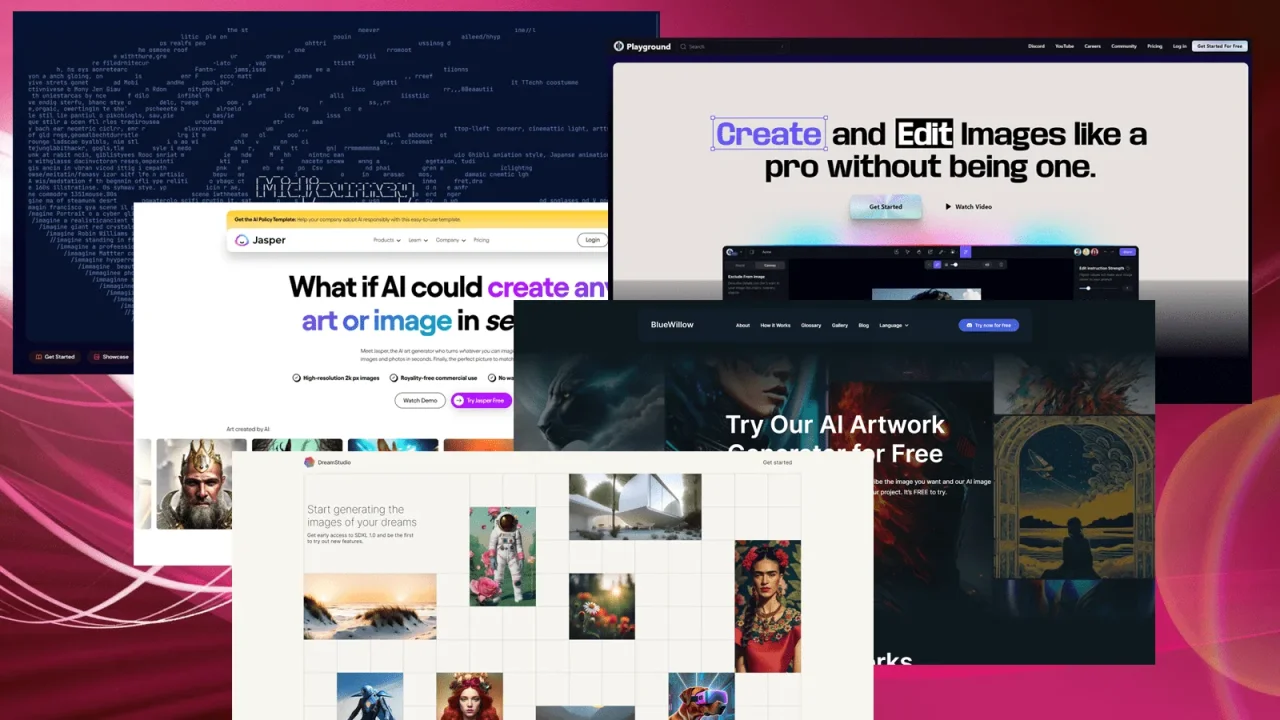
Table of Contents
- What to check in the terms before buying
- Comparison
- Midjourney: artistic quality for ads and illustrations
- Adobe Firefly: a “clean” license for business
- Stable Diffusion: custom models and full control
- Playground: multiple models and a free starting point
- Ideogram: images with text and logos
- What has changed since 2023
- How to choose
An AI-generated image for an ad, website, cover, or product listing is not just about quality. Before paying for a subscription, you need to understand three things: whether the service allows commercial use of the results, who owns the images, and what happens if a rights holder files a complaint about them. The answers depend on the service and plan, and they are buried in lengthy English-language documents.
This roundup is for those who create images for business: freelancers, marketers, website and store owners, and designers. We selected five generators whose terms provide for commercial use of the results and compared them based on what matters in practice: price, license, and suitable use cases.
Not legal advice. Service terms change. Before launching an ad campaign or selling images, read the selected service’s current Terms of Service, especially the terms for your plan and business size. There is also a separate issue: in many countries, copyright protection for AI-generated images is not guaranteed. For example, Playground explicitly states in its terms that it does not guarantee copyright protection for the results.
What to check in the terms before buying
- Commercial license. Is it included in your plan or only in paid plans? Free plans are often limited.
- Revenue threshold. Some services have terms that depend on a company’s revenue: for example, Stable Diffusion is free for businesses with annual revenue of up to $1 million.
- Work visibility. On free plans, images may be public: on Playground, any user may be able to view and remix your work by default. This is unsuitable for client projects.
- Protection against claims. Some services promise legal protection (indemnity) for specific plans. This distinguishes “business-safe” models from the rest.
- Usage rules. Prohibited content, logos and depictions of real people, and trademarks.
Comparison
| Service | Plan | Suitable for |
|---|---|---|
| Midjourney | Paid, from $10 per month; no free plan | Art, illustrations, covers, advertising visuals |
| Adobe Firefly | 25 credits free; paid plans from $9.99 per month | Businesses that need a “clean” license; work inside Photoshop and Illustrator |
| Stable Diffusion | Free with revenue of up to $1 million | Full control, custom models, local deployment |
| Playground | Free to start | Quick experiments, multiple models in one place |
| Ideogram | Free to start; paid plans from $20 per month | Logos, posters, images with text |
Midjourney: artistic quality for ads and illustrations
 result](/user/pages/03.knowledge/top5-ai-commerce/midjourney-logo-result.webp) Midjourney is known for producing “artistic” images without lengthy prompt tuning. The service runs on midjourney.com, while Discord remains a second option. It supports text-to-image generation, style matching from references, character consistency, an editor (inpainting and outpainting), and short image-to-video generation.
There is no free plan: subscriptions start at $10 per month. Commercial use of the results is provided for paid plans, but Midjourney may require a more expensive plan for companies with high revenue, so check the exact terms in the Terms of Service.
Pros
- Distinctive artistic quality and a wide range of styles
- Style and character references for image series
- Editor and video in one service
Cons
- No free plan
- Parameters are more complex than those of simple generators
- Large businesses should check the terms in advance
Adobe Firefly: a “clean” license for business
Adobe Firefly was created for commercial use cases: Firefly’s proprietary models are trained on licensed materials, so the output can be used in advertising and products. The service works in a browser and in Adobe applications, most importantly inside Photoshop, Illustrator, Premiere Pro, and Adobe Express: generative fill, canvas extension, and text-to-vector graphics. In addition to its own models, partner models are available; their terms may differ, so check them separately.
The free offering includes 25 credits, while paid plans start at $9.99 per month. If you already work with Adobe Creative Cloud, Firefly integrates into your familiar workflow.
Pros
- Firefly models are trained on licensed materials
- Works directly in Photoshop and Illustrator
- Vector graphics and video, not just images
Cons
- The number of free credits is small; a subscription is required
- Partner model terms differ from those of Adobe’s own models
Stable Diffusion: custom models and full control
Stable Diffusion is an open model by Stability AI that can be run on your own computer. According to the official license page, the Community License is free for researchers, developers, small businesses, and creators with annual revenue of less than $1 million, and the results belong to you subject to applicable law and acceptable-use rules. Businesses with revenue above $1 million need an enterprise license.
This is the most flexible option: thousands of community models, LoRA, ControlNet, and local generation without a subscription. The license for an individual community model may differ from the Stability AI license, so check it on the model’s page. To get started: installing Stable Diffusion on a computer.
Pros
- Free with revenue of up to $1 million
- Runs on your computer; images are not sent to the cloud
- Huge selection of models, LoRA, and ControlNet
Cons
- Requires a GPU and time for setup
- Community model licenses vary
- Results depend on your prompting skills
Playground: multiple models and a free starting point
](/user/pages/03.knowledge/top5-ai-commerce/playgroundai.webp) Playground is a web service that you can start using for free and without a bank card. According to the website, it offers popular models, including Nano Banana Pro and GPT Image 2. Under the service terms, you retain the rights to the results, and their use is permitted for personal and business purposes.
There are two caveats: by default, your work may be public and available for remixing, and the service does not guarantee that the results are protected by copyright. Check the privacy settings for client projects.
Pros
- Free to start without a bank card
- Multiple models in one interface
- Suitable for quick experiments and prototypes
Cons
- Work may be public by default
- No guarantee of copyright protection for the results
Ideogram: images with text and logos
Ideogram is known for producing readable text in images: posters, covers, cards, and logos. It works in a browser and in an iPhone app; an API is available for embedding it into your own products. Its tools include Precise Edit (edits a selected area while leaving the remaining pixels unchanged), Remix, Reframe, background replacement and removal, upscaling, and apps for advertising layouts (Ad Resizer, Colorways, Object Remover).
Plans include a free option (credits are issued weekly, the queue is slow, and images are published in the public gallery by default), Plus from $20 per month with private generation, and Pro from $60 per month. According to the catalog description, the service does not claim rights to generated images and allows commercial use. For client projects, choose a plan with private generation and verify the current terms on the service’s website.
Pros
- Readable text in images
- Precise Edit and tools for advertising layouts
- Private generation on paid plans; API available
Cons
- Work is published in the gallery on the free plan
- Free credits are limited and the queue is slow
What has changed since 2023
Jasper, BlueWillow, and DreamStudio were previously included in this roundup. We removed them: Jasper shifted its focus to AI marketing agents and text rather than image generation, BlueWillow became part of LimeWire, and there is no confirmed information about DreamStudio’s current status. Adobe Firefly, Stable Diffusion, and Ideogram were added instead, while Playground remains.
How to choose
- You need the safest possible business license: Adobe Firefly.
- You need beauty and an artistic style: Midjourney.
- You need custom models and control, and you have a GPU: Stable Diffusion.
- You want to try it for free: Playground or Firefly’s free credits.
- You need text in the image: Ideogram.
For other photo tools, see the review of Clipdrop and the AI tools catalog.

I study AI not as magic but as a tool. I love order in data and complex systems.