The HeyGen service lets you create videos without a camera, studio, or actors: an AI avatar speaks on screen while you provide the text and voice. The avatar’s lips move precisely in sync with the audio track in the selected language, and you can customize the background and appearance. This type of video works well for training, presentations, advertising, and social media, as well as for people who do not want to show their face on camera. You can also create a digital copy of yourself: an avatar with your face and voice.
Another major strength of HeyGen is translating finished videos: the service redubs a video in another language using the same voice and adjusts the lip movements to match the new text.
HeyGen Features
- Ready-made avatars: more than 500 on the free plan and more than 700 on paid plans.
- Custom avatar: based on a photo (Photo Avatar) or a video of you (Custom Video Avatar).
- Voices: more than 1,000 AI voices, as well as custom voice cloning.
- Languages: more than 30 on the free plan, and more than 175 languages and dialects on paid plans.
- Video translation with voice preservation and lip synchronization.
Plans and Limits
| Plan | Price | What it includes |
|---|---|---|
| Free | free | 3 videos per month up to 1 minute long, with a watermark; up to 3 Photo Avatars, 1 voice clone, 1 Video Avatar |
| Creator | $29 per month ($24 when billed annually) | videos up to 30 minutes, 1080p without a watermark, 175+ languages |
| Pro | $49 per month | videos up to 30 minutes, 4K export |
| Business | $149 per month | videos up to 60 minutes, 4K, 5 Video Avatars, $20 per month for each additional team member |
| Enterprise | upon request | no video length limit |
The free plan is enough to try the service: create a few short videos and evaluate the quality of the avatars and voices.
How to Use the HeyGen AI Tool
-
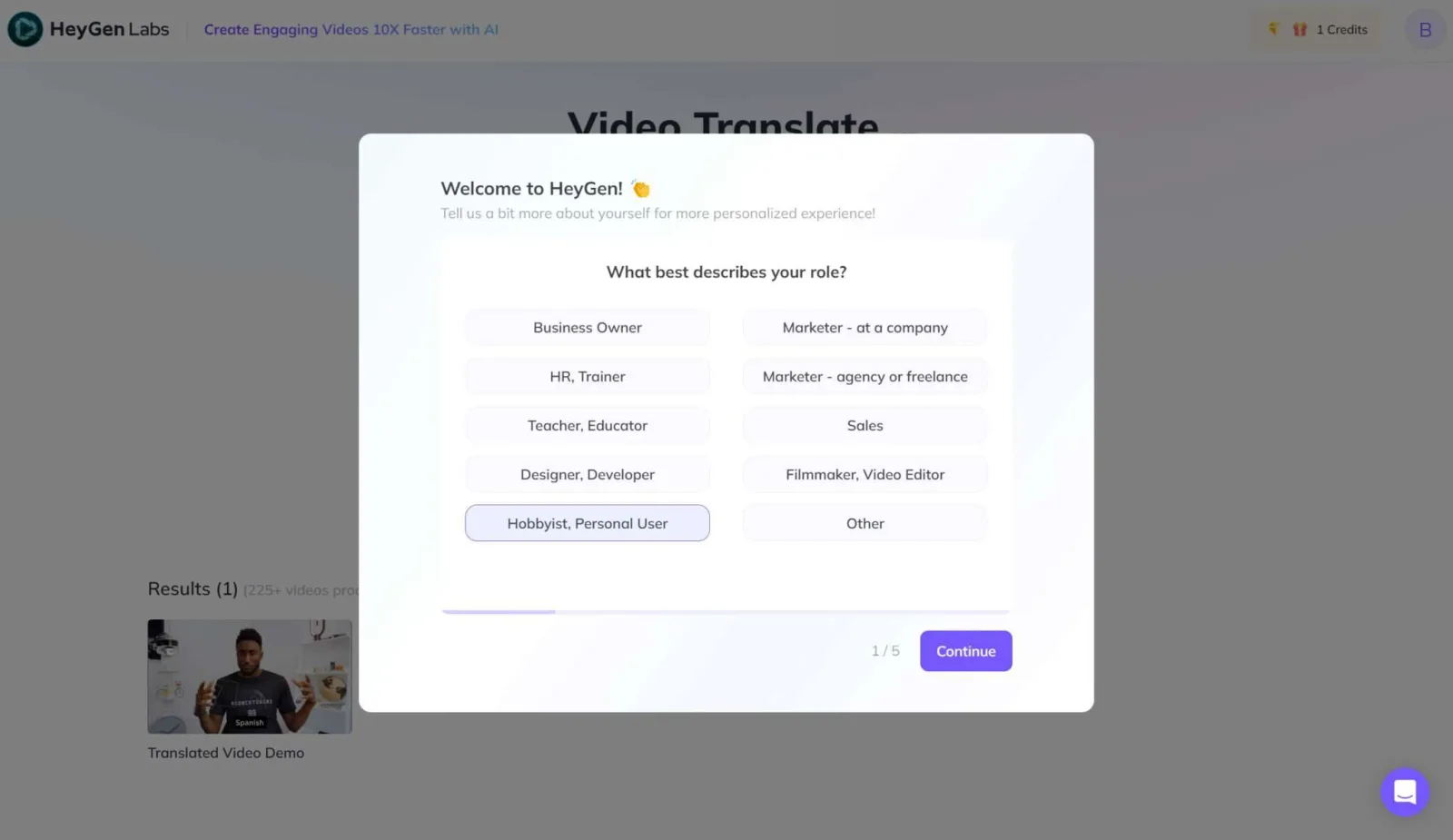
Register on the service’s official website. You can sign up using your Google account. The service will ask what you need it for — your answer does not affect anything;
-
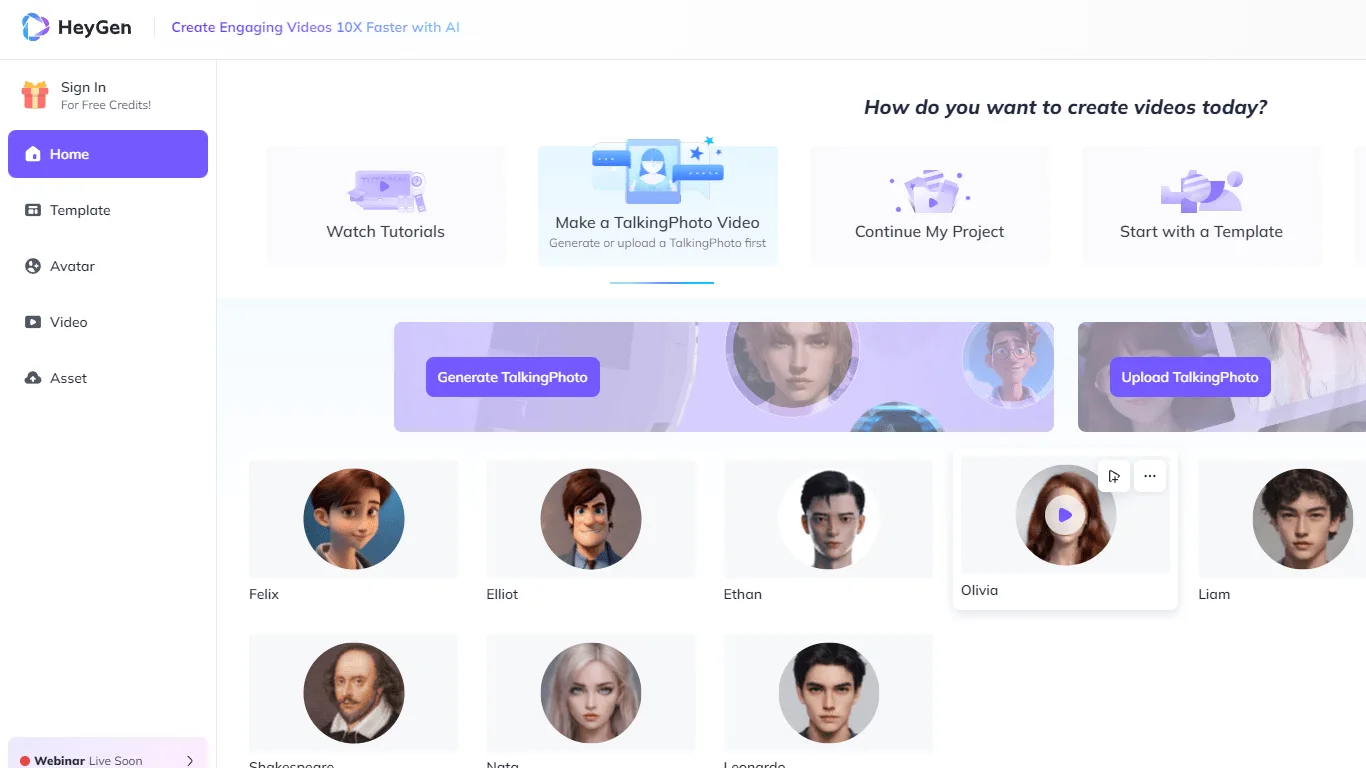
Choose an avatar for the video from the available options or create your own;
-
Enter the script for the avatar to narrate or upload an audio file. You can choose a voice from the available options or use your own after cloning it;
-
Start the generation process. A short video is usually ready within a few minutes, while a longer one may take more time to process.
The screenshots were taken in 2023: the interface may have changed since then, but the workflow remains the same.
If you need a professional-quality video without filming or editing, HeyGen is one of the most convenient options. It is used for training, marketing, presentations, and translating videos into other languages.
I study AI not as magic but as a tool. I love order in data and complex systems.