NaturalReader
18 0NaturalReader is an all-purpose text-to-speech service that turns documents, websites, and books into convenient audio.
- Category
- Audio & Voice
- Pricing
- Details on the service site
- Use case
- Text to speech
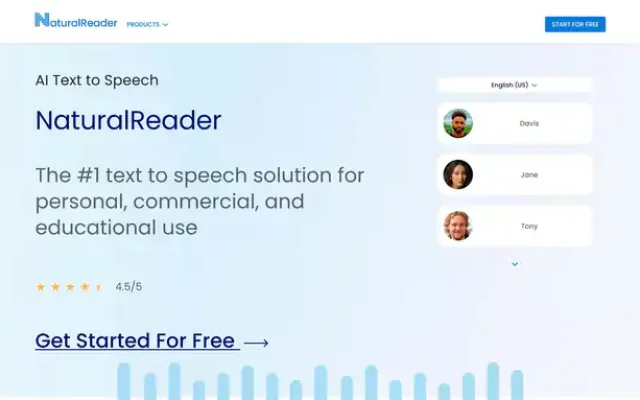
NaturalReader is an all-purpose text-to-speech service that turns documents, websites, and books into convenient audio. It handles several tasks at once: reading articles and PDFs aloud, reading web pages, converting scans and photos into text and then reading it aloud, and creating MP3 files for offline listening. Unlike a traditional TTS engine built into an operating system, NaturalReader offers dozens or even hundreds of voices in many languages, flexible speed and intonation controls, and, most importantly, an ecosystem of web, mobile, and browser extension apps. This saves a lot of time: instead of sitting in front of a screen and reading, you can simply press “Play” and listen to books, articles, and work documents on the go, while working out, or while doing routine tasks.
The NaturalReader experience is built around the idea of a “smart text player.” The user sees a clean interface with a document list, an import button (PDF, DOCX, EPUB, web pages), voice selection, and playback controls. Getting started is simple: upload a file or select text, and the service starts reading it in the chosen voice. It also has useful “smart” features: filtering out boilerplate text (URLs, captions, page numbers), highlighting words as they are read, a built-in browser, and playback sync between your computer and phone. Voice quality varies widely by type: basic and older voices sound quite robotic, while newer AI voices are noticeably more natural, though they still fall short of the market leaders. Non-English voices are supported, but based on customer reviews and tests, they are not the service’s strong point: they’re listenable, but for “premium” voiceovers for videos and ads, it’s worth considering specialized solutions. For everyday listening to books, articles, and study materials, the overall quality is comfortable enough.
NaturalReader is especially useful for people who read a lot or have difficulty reading: students, schoolchildren, people with dyslexia, and anyone who prefers to learn and work “with their ears, not their eyes.” The service changes how people consume text: instead of passive reading at a desk, you get “audio windows” throughout the day—while commuting, exercising, or doing household chores. Its access model is a hybrid: there’s a free tier with limited listening time for premium voices and unlimited use of basic voices, while paid plans add access to higher-quality AI voices, a higher daily character limit, more advanced file handling, and commercial usage rights. At the same time, some users criticize the confusing plan structure, character limits, and less-than-responsive support. NaturalReader may not be the “perfect” TTS, but as a mature, feature-rich, cross-platform tool for listening to text every day, it certainly deserves a place in your bookmarks.
Best suited for: students, teachers, people with reading difficulties, audiobook enthusiasts, busy professionals, language learners, and educational content creators.
FAQ
Do I need a VPN or proxy to use the service?
It depends on your region. If the service is not available in your country, its site says so; a VPN or proxy is a way around regional limits, but follow the rules of the service and the laws of your country. How to choose a proxy is covered in our guide to proxies for Claude. The easiest check is to open the service site.
Is it safe to share my data with an AI tool?
Do not enter passwords, payment details, personal data or trade secrets. Many services store requests and may use them to train models, especially on free plans. Check the privacy policy and the settings of the service, where training can often be switched off.
Similar tools
-
28 0
AISPY is an indispensable free tool in the age of AI that lets you determine whether an audio file was generated by AI or created by a human.
- Audio & Voice
- AI & plagiarism detection
-
28 0
Anypod is a platform for content creators that makes their content searchable.
- Audio & Voice
- Paid
- Search engines
-
27 0
Browser voiceover and video studio: natural text-to-speech, emotion control, dubbing, audiobooks and voice cloning for branded content.
- Audio & Voice
- Text to speech
- Voice cloning
-
27 0
WavJourney is an advanced text-to-speech tool. It’s one of the most popular AI speech synthesizers.
- Audio & Voice
- Free
- Music generation
-
26 0
Uberduck is a creative voice-generation service built not just for standard text-to-speech, but also for vocals: speech, singing, and even rap delivery.
- Audio & Voice
- Voice cloning
-
25 0
Covers AI is an AI-powered voice replication tool that lets users create realistic and engaging song covers.
- Audio & Voice
- Paid
- Music generation
- Voice cloning